llama.cpp
Lightweight C/C++ engine that runs quantized open models on CPU or GPU, with an OpenAI-compatible server.
Quick answer
llama.cpp is a lightweight C/C++ engine that runs quantized open models on CPU or GPU, with an OpenAI-compatible server, listed under Local model runtimes. A typical small-business use: serve one open model to the whole office from a small server, with no Python stack. In our own test (llama.cpp build 11804 (c7fc50941), Docker, Oct 22, 2026) it used about 437 MiB of RAM at idle and up to 489 MiB while working (running qwen2.5-0.5b-instruct on CPU). That is our measurement, not an official figure. The project publishes no official RAM figure. With headroom added to the RAM we measured, a Hetzner Cloud CPX12 (1 vCPU, 2 GB) at about €11.99/month should be enough. That is our estimate from the test, not the project's (server only, excl. VAT). License: MIT, which allows internal business use.
Last updated · facts verified against official docs on · sources
Activity data comes from GitHub and was last refreshed Oct 22, 2026.
What is llama.cpp?
llama.cpp is the inference engine underneath many local-AI tools. Its llama-server runs a quantized (GGUF) model and exposes OpenAI-compatible chat, responses and embeddings endpoints plus a built-in web UI, with parallel requests for several users. It runs on plain x86 or ARM CPUs and accelerates on NVIDIA (CUDA), AMD (ROCm/HIP), Intel (SYCL), Vulkan and Apple Metal.
Where it fits in a 10–200 person business
- Serve one open model to the whole office from a small server, with no Python stack
- Local model back-end for chat UIs and RAG tools that speak the OpenAI API
- Run quantized models on CPU-only or older hardware
These use cases are our editorial suggestions, not claims made by the project.
Can a business use llama.cpp? (license)
| License | MIT |
|---|---|
| Type | Permissive: MIT / Apache-2.0: use, modify and sell with few obligations. |
| Internal business use | Allowed under the license text |
| What to watch | Permissive. Internal and commercial use allowed. Individual models have their own licenses. |
This is a plain-English summary of the license text, not legal advice. Third-party models you run with it have their own licenses.
Data & compliance: does llama.cpp phone home?
| Telemetry (usage data sent to the vendor) | Not documented |
|---|---|
| Other calls home by default (updates, marketplaces, default cloud services) | Not documented |
| Single sign-on (OIDC / SAML / LDAP) | Not documented |
| Audit log | Not documented |
| Role-based access control (RBAC) | Not documented |
| Data residency / GDPR notes from the project | Not documented |
Checked against the project's own docs and repository on . "Not documented" means we could not find the answer in official sources; it does not mean the feature is missing or that no data is sent. Third-party services you connect (model APIs, vector databases, search engines) have their own data policies. Compare all apps.
What hardware does llama.cpp need?
The project does not publish a minimum CPU/RAM figure, so we leave the official value blank rather than guess.
Our measurement measured: 437 MiB RAM at idle, 489 MiB while working (llama.cpp build 11804 (c7fc50941), Oct 22, 2026). Full test results.
GPU: Optional. Runs on CPU (AVX/AVX2/AVX512/AMX, ARM NEON) and supports CPU+GPU hybrid inference for models larger than VRAM. Docker images exist for CUDA, ROCm, SYCL, Vulkan, MUSA and OpenVINO.
No official RAM figure; memory use depends on the model size and quantization you load.
Tested by SelfHostMap
Measured, not officialWe deployed llama.cpp build 11804 (c7fc50941) ourselves on using the official Docker instructions, and measured what it actually used. Your numbers will vary with your data, users and hardware. How we test.
| Version / image | ghcr.io/ggml-org/llama.cpp:server → llama.cpp build 11804 (c7fc50941) (sha256:8c74db29f1a2…) |
|---|---|
| Test machine | Intel Xeon (Sapphire Rapids class, AVX-512 + AMX), 8 vCPU, 16 GB RAM (shared), GPU: none (CPU only). Debian 13 (trixie), Linux 6.12, Docker Engine 29.9.2. Container capped at 1.5 GiB. |
| RAM at idle measured | 437 MiB · 2 minutes after start with the 0.5B model loaded and no requests. llama.cpp memory-maps the model file: the kernel charged the container 291 MiB of its own memory plus the 469 MiB model file, but docker stats leaves out the part of the file cache it considers inactive. Budget roughly 760 MiB for this model to stay fully in RAM. |
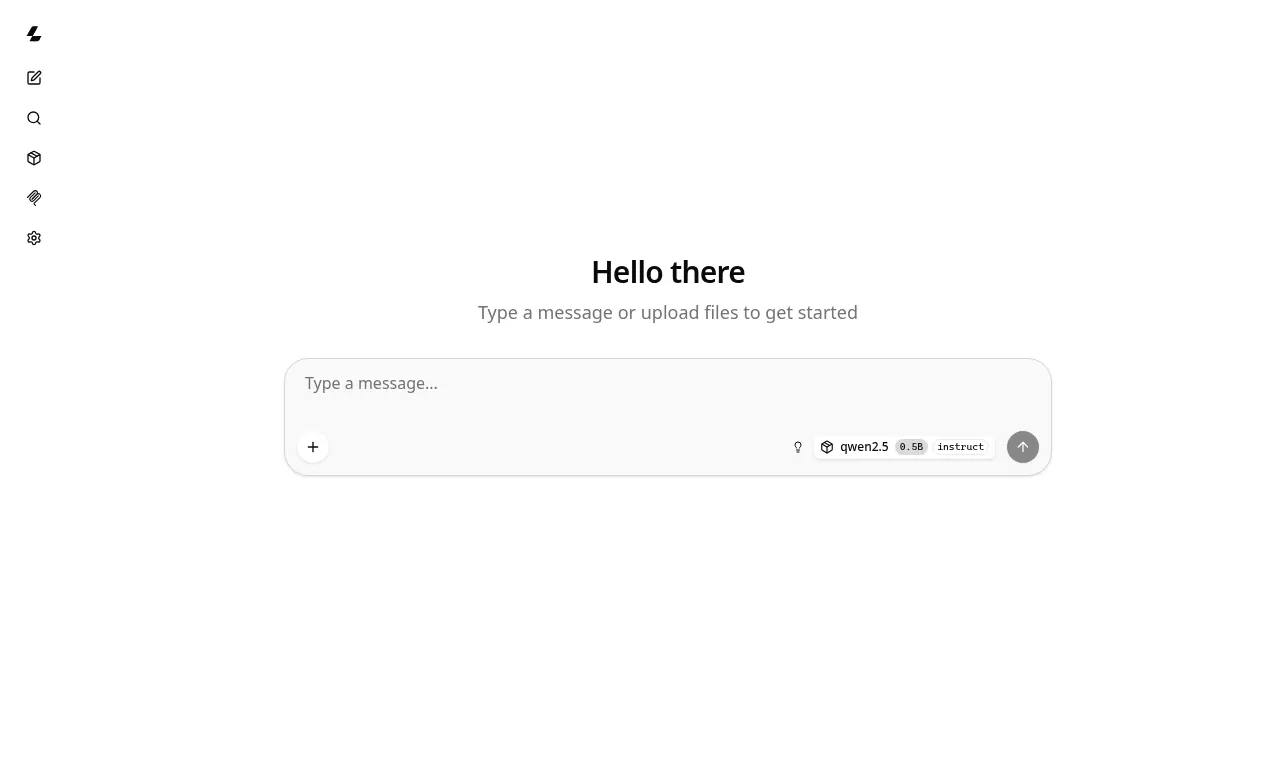
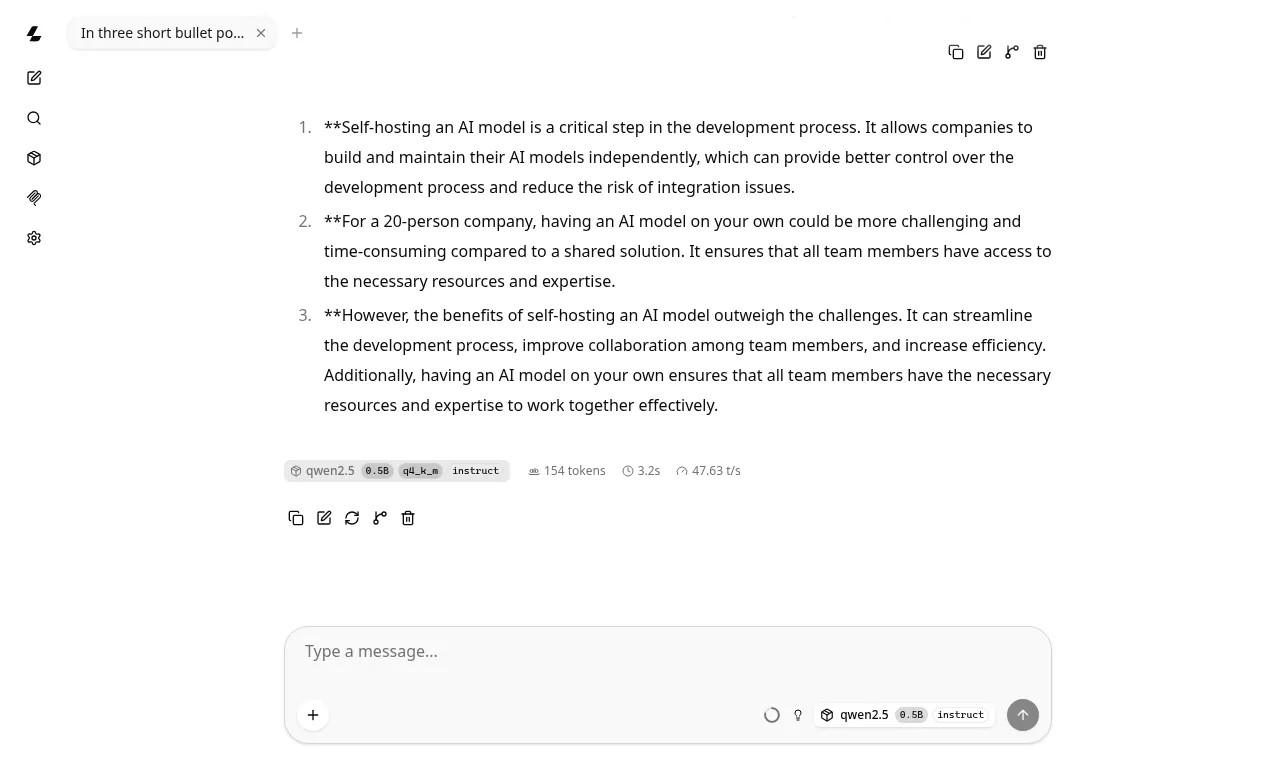
| RAM while working measured | 489 MiB · Highest reading while answering one API request and one chat message in the built-in web UI (four parallel slots of 512 tokens each, the default with -c 512). |
| Image size | 310 MB download, 1.20 GB on disk once unpacked |
| Data on disk after test | not measured |
| Time to first start | 0.9 s with the image already downloaded · From docker run until /health answered 200 with the model loaded (the log says "model loaded" after 0.68 s). Including the image download: 5.9 s (download took 5 s on our datacenter connection; yours depends on your network). |
CPU-only inference measured
| Model | Model file | RAM while answering | Generation speed | Prompt reading | Load time |
|---|---|---|---|---|---|
qwen2.5-0.5b-instruct Q4_K_M | 491 MB | 440 MiB | 89.1 tokens/s | 607 tokens/s | 0.68 s |
Same prompt as our Ollama test ("Explain in about 150 words what a reverse proxy is and why a small business would put one in front of a self-hosted web app."), temperature 0, through /v1/chat/completions, all 8 vCPUs. An earlier run of the same prompt, with the model file already in the page cache, gave 97.5 tokens/s. RAM here is the docker stats reading; see the idle note about the memory-mapped model file.
Cost based on our test: 489 MiB working RAM × 1.5 + 512 MiB for the OS and Docker ≈ 1.2 GiB → Hetzner Cloud CPX12 (1 vCPU, 2 GB) at about €11.99/month our estimate. The project itself publishes no RAM figure.
What we ran into
- The docs command needs a model you download yourself
The :server image contains no model. You have to fetch a GGUF file (for example from Hugging Face) into the folder you mount at /models, and pick a quantization that fits your RAM.
Fix: Download the GGUF first, or use the -hf <user>/<repo> option to let llama-server fetch it from Hugging Face on start.
- Harmless warnings about the host and port
warn: LLAMA_ARG_HOST environment variable is set, but will be overwritten by command line argument --hostFix: Nothing to fix. The image sets LLAMA_ARG_HOST and LLAMA_ARG_PORT itself; you can drop --host and --port from the command.
- No password on the API or web UI by default
The chat UI and the OpenAI-compatible API on port 8080 answered without authentication.
Fix: Start it with --api-key <secret> and keep the port behind a reverse proxy with TLS if anyone outside your machine can reach it.
- docker stats can under-report the model's memory (caused by our test network)
On our first run the model file was already in the host's page cache and docker stats showed only 290 MiB for a 491 MB model. We repeated the test after evicting the file from the cache (the numbers above).
Fix: When sizing a server, add the model file size to the server's own memory rather than trusting a single docker stats reading.
Exact command we ran
docker run -d --name llamacpp --memory 1500m -p 8080:8080 -v /workspace/bench/models:/models \
  ghcr.io/ggml-org/llama.cpp:server \
  -m /models/qwen2.5-0.5b-instruct-q4_k_m.gguf -c 512 --host 0.0.0.0 --port 8080
Official server README Docker command (CPU image), with -d and a 1.5 GB memory cap. The model is the official Qwen2.5-0.5B-Instruct Q4_K_M GGUF from Hugging Face (sha256 74a4da8c…a7d9db), downloaded beforehand.
How much does it cost to host llama.cpp per month?
The project publishes no official RAM figure, so there is no official-spec estimate. Instead we use the RAM we measured in our own test:
| Based on our test our estimate | 489 MiB working RAM × 1.5 + 512 MiB ≈ 1.2 GiB → CPX12 (1 vCPU, 2 GB, 40 GB disk) €11.99/mo |
|---|
How we got this: the cheapest Hetzner Cloud Regular Performance (shared AMD vCPU) plan with at least that much RAM, using prices read from www.hetzner.com/cloud/regular-performance on 2026-10-22. "From" monthly price cap shown by Hetzner, excluding VAT. Prices vary by location. Covers the server only; it excludes LLM API usage, backups, extra storage, GPUs and your time. The headroom covers the OS, Docker and spikes; heavier workflows, more users or bigger models need more. Method.
How to deploy llama.cpp
Method: Docker (or install script / prebuilt binaries)
docker run -p 8080:8080 -v /path/to/models:/models ghcr.io/ggml-org/llama.cpp:server \
  -m /models/your-model.gguf -c 512 --host 0.0.0.0 --port 8080
# NVIDIA: use ghcr.io/ggml-org/llama.cpp:server-cuda with --gpus all --n-gpu-layers 99
From the official instructions: github.com/ggml-org/llama.cpp/blob/master/tools/server/README.md#docker. Always check the source for the current version before you run it.
Known gotchas when self-hosting llama.cpp
- llama-server has no API key by default. For anything beyond one machine, set --api-key and put it behind a reverse proxy; by default it reflects any Origin header back with credentials allowed. source
- The GPU Docker images are built by CI but not tested beyond building. If you need a different CUDA, ROCm or MUSA version you must build the image yourself. source
- The experimental --tools / --agent flags expose file read/write and shell tools over the API; do not enable them in untrusted environments. source
Alternatives in Local model runtimes
- Ollama The simplest way to download and run open-weight LLMs locally behind an API. Compare llama.cpp vs Ollama
- vLLM High-throughput LLM inference server for GPUs with an OpenAI-compatible API. Compare llama.cpp vs vLLM
- LocalAI OpenAI-compatible API for LLMs, vision, voice and images on any hardware. Compare llama.cpp vs LocalAI
llama.cpp FAQ
How much RAM does llama.cpp need?
llama.cpp does not publish an official RAM figure. In our own test (llama.cpp build 11804 (c7fc50941), Docker, Oct 22, 2026) it used about 437 MiB of RAM at idle and up to 489 MiB while working (running qwen2.5-0.5b-instruct on CPU). That is our measurement, not an official figure.
Does llama.cpp need a GPU?
Optional. Runs on CPU (AVX/AVX2/AVX512/AMX, ARM NEON) and supports CPU+GPU hybrid inference for models larger than VRAM. Docker images exist for CUDA, ROCm, SYCL, Vulkan, MUSA and OpenVINO.
How much does it cost to self-host llama.cpp?
The software is free to download. The project publishes no official RAM figure. With headroom added to the RAM we measured, a Hetzner Cloud CPX12 (1 vCPU, 2 GB) at about €11.99/month should be enough. That is our estimate from the test, not the project's (server only, excl. VAT).
Is llama.cpp free for commercial use?
llama.cpp is licensed under MIT (Permissive). Internal business use is allowed under the license text. Permissive. Internal and commercial use allowed. Individual models have their own licenses. This is a summary, not legal advice.
What are common problems when self-hosting llama.cpp?
llama-server has no API key by default. For anything beyond one machine, set --api-key and put it behind a reverse proxy; by default it reflects any Origin header back with credentials allowed. The GPU Docker images are built by CI but not tested beyond building. If you need a different CUDA, ROCm or MUSA version you must build the image yourself. The experimental --tools / --agent flags expose file read/write and shell tools over the API; do not enable them in untrusted environments.
What went wrong when SelfHostMap deployed llama.cpp?
In our test of llama.cpp build 11804 (c7fc50941) on Oct 22, 2026: The docs command needs a model you download yourself. Download the GGUF first, or use the -hf <user>/<repo> option to let llama-server fetch it from Hugging Face on start. Harmless warnings about the host and port. Nothing to fix. The image sets LLAMA_ARG_HOST and LLAMA_ARG_PORT itself; you can drop --host and --port from the command. No password on the API or web UI by default. Start it with --api-key <secret> and keep the port behind a reverse proxy with TLS if anyone outside your machine can reach it.
How fast is llama.cpp on a CPU-only server?
In our test on 8 vCPU with no GPU: qwen2.5-0.5b-instruct (Q4_K_M, 491 MB file) generated about 89.1 tokens/s and used 440 MiB of RAM. Fewer or slower cores will be slower. These are our measurements, not official figures.
Is llama.cpp still maintained?
Yes, it is actively developed. Last commit: Oct 22, 2026. Latest release: v0.7.0 (Oct 15, 2026). Checked Oct 22, 2026.
How do I install llama.cpp?
The official method is Docker (or install script / prebuilt binaries). The exact commands are in the "How to deploy" section above and in the official instructions: https://github.com/ggml-org/llama.cpp/blob/master/tools/server/README.md#docker
What are self-hosted alternatives to llama.cpp?
Other apps in Local model runtimes: Ollama, vLLM, LocalAI.
Sources
- GitHub repository: github.com/ggml-org/llama.cpp
- Official documentation, Gotcha 2: github.com/ggml-org/llama.cpp/blob/master/docs/docker.md
- License text: github.com/ggml-org/llama.cpp/blob/master/LICENSE
- Hardware requirements: github.com/ggml-org/llama.cpp#description
- Deploy instructions: github.com/ggml-org/llama.cpp/blob/master/tools/server/README.md#docker
- Gotcha 1, Gotcha 3: github.com/ggml-org/llama.cpp/blob/master/tools/server/README.md
- Hetzner Cloud pricing (cost estimate): www.hetzner.com/cloud/regular-performance
- GitHub stars, commits and releases: GitHub REST API, fetched
Facts on this page were checked against the project's own repository and docs on 2026-10-22. Spotted something out of date? Tell us.